
Court Records Storage Solutions for Legal Files and Case Archives
SAS provides court records storage solutions for active case files, closed proceedings, legal documents, registers and restricted judicial records.
Mobile shelving, archive cabinets and filing cabinets can be combined according to case volume, retrieval frequency, access restrictions, retention schedules and available records-room space.
The resulting judicial records plan helps courts organize legal files and long-term case archives with clear zoning, secure retrieval and practical future-capacity planning.
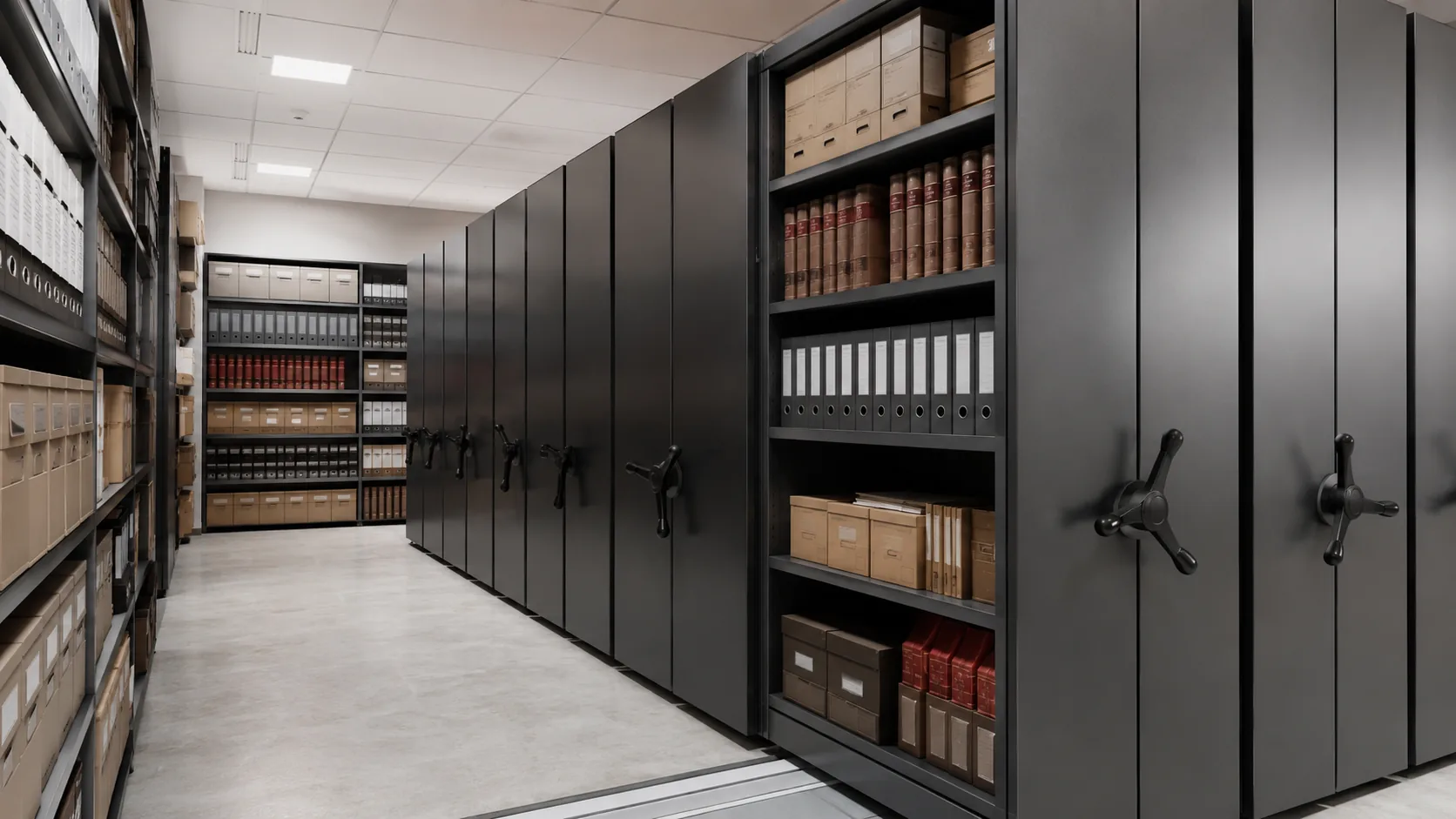
Court records storage must support security and daily workflow
Judicial records move through intake, active use, closure, retention review and final disposition. The storage plan should keep each stage identifiable while protecting confidential materials, supporting authorized retrieval and preserving enough capacity for future caseload.
Different judicial records require different access conditions
Effective judicial records planning begins by separating record groups according to case status, confidentiality, physical format, retrieval frequency and retention responsibility.
Active Case Files
High-frequency retrieval, visible sequencing and convenient access for registry or judicial staff.
Closed Proceedings
Higher-density storage organized by case number, closure period or approved schedule.
Confidential Records
Dedicated lockable storage, controlled zones and defined user permissions where required.
Registers and Special Files
Cabinets, deeper shelves, trays or project-specific supports for nonstandard materials.
Connect filing, retrieval and retention review
A clear records route reduces unnecessary handling and helps staff distinguish current work from long-term storage. Each transfer point should have defined responsibility and location control.
Match equipment to case status and retrieval frequency
A court records room rarely depends on one product. Active files, closed cases, restricted materials and long-term archives often require different storage systems within the same facility.
Mobile Shelving Systems
Suitable for closed case files, inactive records and large judicial archives where floor area is limited.
View Mobile Shelving Systems →Archive Storage Cabinets
Useful for active files, local registry storage, confidential materials and departmental judicial records.
View Archive Storage Cabinets →Steel Filing Cabinets
Practical for smaller file groups, administrative records and frequently accessed office-level case documents.
View Steel Filing Cabinets →Smart Mobile Shelving
Touchscreen control, permission settings and visible operating status can support controlled multi-user judicial archives.
View Smart Mobile Shelving →Four checks before the court records room is approved
The final solution should support court policy, applicable retention requirements, building conditions and daily registry operations rather than treating shelving as an isolated purchase.
Records Review
Confirm case groups, file formats, quantities, active status, restrictions and expected annual transfer volume.
Security Review
Define authorized users, restricted zones, locks, audit needs and emergency-access procedures.
Building Review
Verify floor capacity, room geometry, fire systems, doorway access, power and installation route.
Operations Review
Map registry workflow, trolley routes, labeling, file returns, research requests and retention reviews.
Assign control according to record sensitivity
Not every shelf needs the same security level. Dividing the room into access classes can simplify staff training, improve accountability and avoid overcomplicating ordinary record retrieval.
Separate intake, active files, archive storage and restricted records
A court records room should support receiving, classification, active retrieval, secure storage and retention review—not only maximum shelving quantity.
New and returned files
Frequent retrieval
Controlled access
Transfer and disposition
Judicial records storage is configured by room and file volume
Final dimensions, load capacity, access control and storage layout should be confirmed according to court-record format, room conditions and retrieval workflow.
From case-file schedule to installed storage
A court archive project should be developed from actual case-file categories, room conditions, access rules and long-term capacity requirements.
Records Inventory
Group files by case type, status, format, quantity, restrictions, retention and retrieval frequency.
Room Assessment
Review dimensions, floor capacity, doors, fire protection, power, workflow and installation access.
Zoning and Capacity
Allocate intake, active, archive, restricted and retention-review areas before selecting the final system.
System Approval
Confirm equipment type, shelf configuration, labels, controls and safety package.
Installation and Handover
Commission movement and safety functions where applicable, label zones and train designated records staff.
Court Records Storage FAQ
What records can court records storage solutions accommodate?
They can support active and closed case files, registers, administrative records, archive boxes, bound volumes and compatible special-format materials. Oversized exhibits or sensitive evidence may require separate specialist storage.
Should active and inactive court files be stored together?
They can share one facility, but separating them by zone or system usually improves retrieval and capacity planning. Active files need easier access, while inactive files are better suited to high-density storage.
Can restricted court records use permission-controlled shelving?
Yes. Depending on policy and project requirements, restricted records may use locked cabinets, dedicated rooms or smart mobile shelving with configured permissions.
How is future court record growth calculated?
Growth should be based on active caseload, annual case closure, file thickness, approved retention periods and expected transfers rather than one general percentage.
Can court records storage include a retention-review area?
Yes. The room plan can include a designated area for file checks, transfer preparation, scanning, appraisal or other authorized review processes.
What information is needed for a court records storage quotation?
Please provide the room plan, ceiling height, door sizes, floor information, case-file groups, folder or box dimensions, quantities, retrieval frequency, access restrictions, retention requirements and expected annual growth.
Continue planning the judicial records storage system
Planning a judicial records room around real workflows?
Send your room plan, case-file schedule, record quantity, access-control requirements and storage preference. SAS can prepare a court records storage proposal covering zoning, capacity, mobile shelving, cabinets, labeling, safety provisions and installation requirements.