
Mobile Shelving Safety Features and Control System Guide
Mobile shelving safety features should control movement, protect the working aisle, provide a clear stop method and support orderly archive access. The exact safety package depends on whether the system is manual, electric or smart and on the approved project configuration.
Safety should therefore be designed as part of the shelving system and room layout—not added as a list of unrelated accessories after the equipment has been selected.
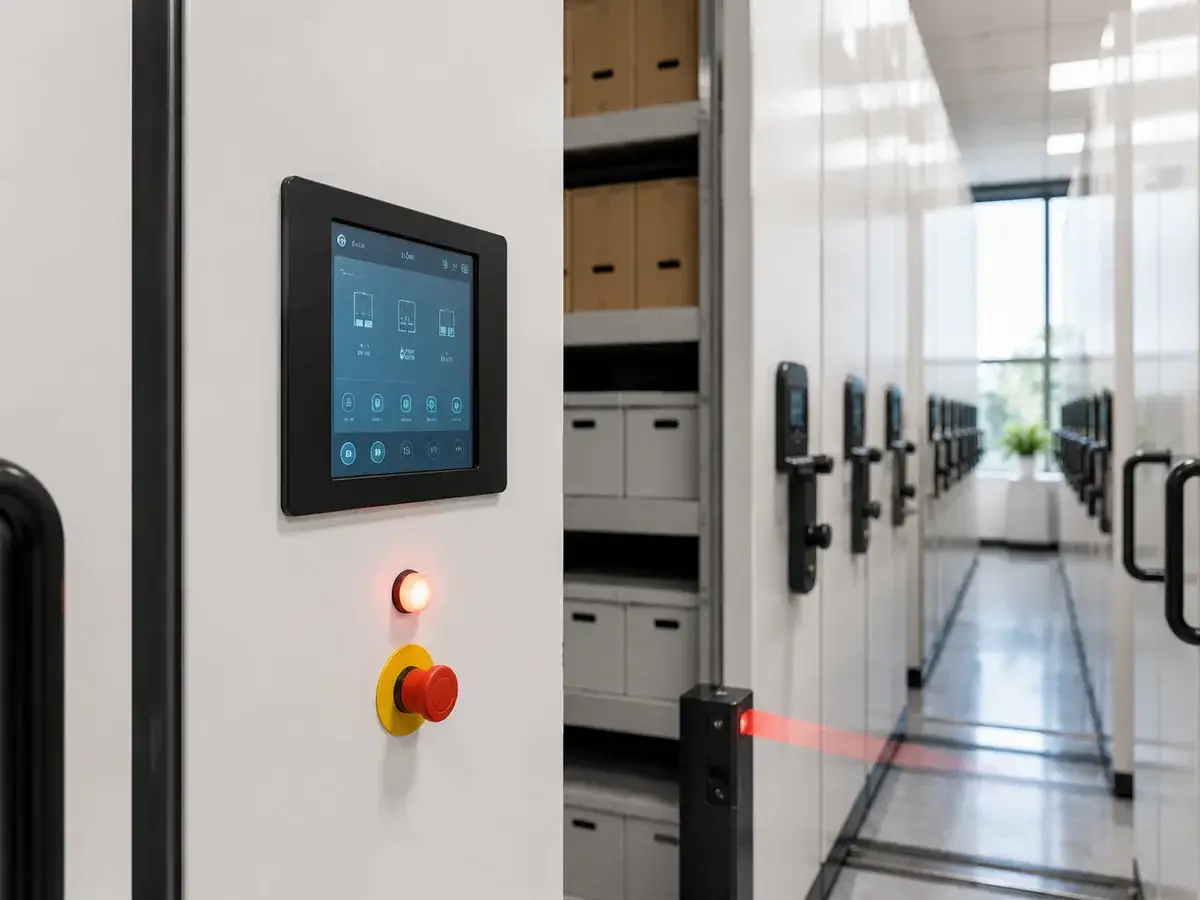
Mobile Shelving Combines Moving Equipment With Human Access
Mobile shelving increases storage density by moving rows along rails and opening the aisle that is required for retrieval. Because users may enter that aisle, movement should be predictable, controlled and appropriate for the selected operating system.
The correct safety design begins with mechanical stability and clear operating rules. Electric and smart systems can then add project-specific control or detection functions where the archive workflow requires them.
Safety Configuration Should Match the Operating Method
A manual archive room, a frequently used electric records center and a smart controlled-access archive do not require identical protection packages.
Do Not Specify Electronic Features Without a Defined Requirement
Confirm users, access frequency, row length, stored load, confidentiality and local maintenance capability before selecting electronic safety or control functions.
Four Layers of Mobile Shelving Safety
The safest way to plan a project is to separate structural safety, movement control, aisle protection and operational management instead of treating every electronic feature as mandatory.
Structural and Rail Safety
Rail alignment, mobile-base construction, anti-tilt arrangement, end stops, fixing and loaded-system stability form the mechanical foundation of the project.
Movement Control
Manual handwheel control or powered movement should allow the operator to understand when a row is moving and how movement is started or stopped.
Working-Aisle Protection
Powered projects can use project-confirmed obstacle, aisle or anti-pinch protection according to the equipment configuration and user requirements.
Operating Procedures
Training, locking, inspection, fault reporting and access procedures remain important regardless of whether the system is manual, electric or smart.
Mobile Shelving Safety Features for Powered and Mechanical Systems
Not every project includes every function below. The final safety scope should be confirmed from the selected system, room layout and approved technical specification.
View Electric Mobile ShelvingEmergency Stop
Powered systems can include a clearly accessible emergency-stop function where specified, allowing movement to be interrupted during an abnormal condition.
Aisle or Obstacle Detection
Electric or smart configurations can include project-specific sensing functions intended to help prevent movement when an unsafe aisle condition is detected.
Warning Signal
Visual or audible feedback can be specified to indicate powered movement, system status or another operating condition.
Anti-Pinch Protection
Project-specific protective edges, sensing or control logic may be considered where the selected system requires additional protection around moving rows.
Mechanical Locking
Mechanical row or operating locks can help prevent unintended movement or unauthorized use according to the shelving configuration.
Power-Off and Fault Access
Powered projects should define how authorized users access or handle the shelving during power interruption, maintenance or control-system faults.
Manual, Electric and Smart Safety Logic
Manual systems rely mainly on mechanical design and operator procedures. Electric systems add powered movement and project-specific electronic protection. Smart systems can coordinate these functions through a higher-level control layer where required.
Manual Mobile Shelving
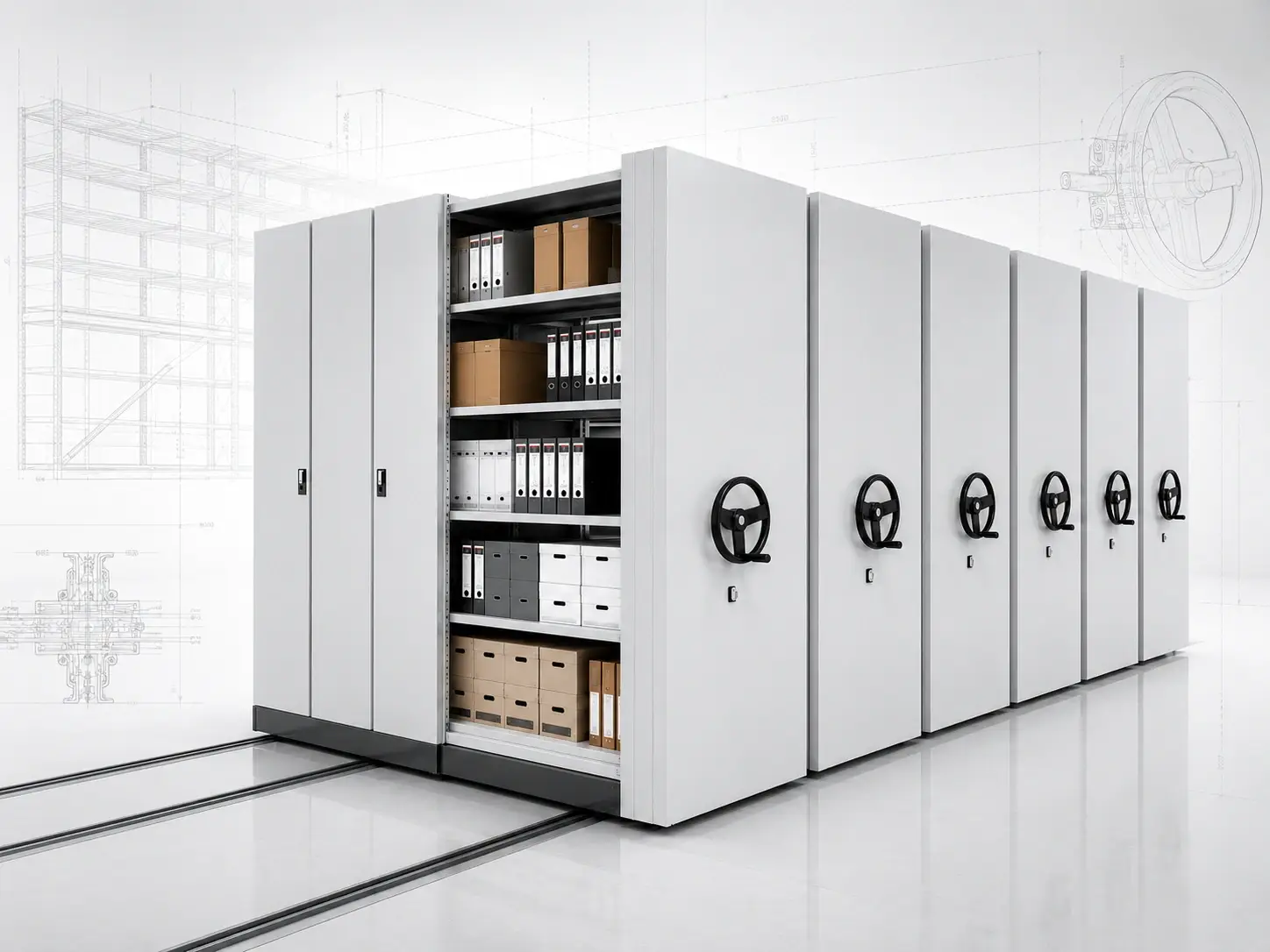
Safety focuses on mechanical stability, controlled handwheel movement, locks and clear user procedures.
- Handwheel-operated movement
- Mechanical row-lock options
- Rail guidance and structural stability
- Mechanical braking or stopping according to design
- User checks the aisle before movement
Electric Mobile Shelving
Electric systems add motorized movement and can include project-confirmed emergency, obstacle-detection, warning and aisle-protection functions.
- Motorized row movement
- Local operating control
- Emergency-stop option where specified
- Project-specific aisle or obstacle protection
- Warning or status functions where specified
Smart Mobile Shelving
Smart systems add a control layer above powered movement and can coordinate status, configured permissions and other approved project functions.
- Touchscreen operation
- Visible system status
- Configured permissions where specified
- Powered safety functions according to configuration
- Optional external interfaces where technically approved
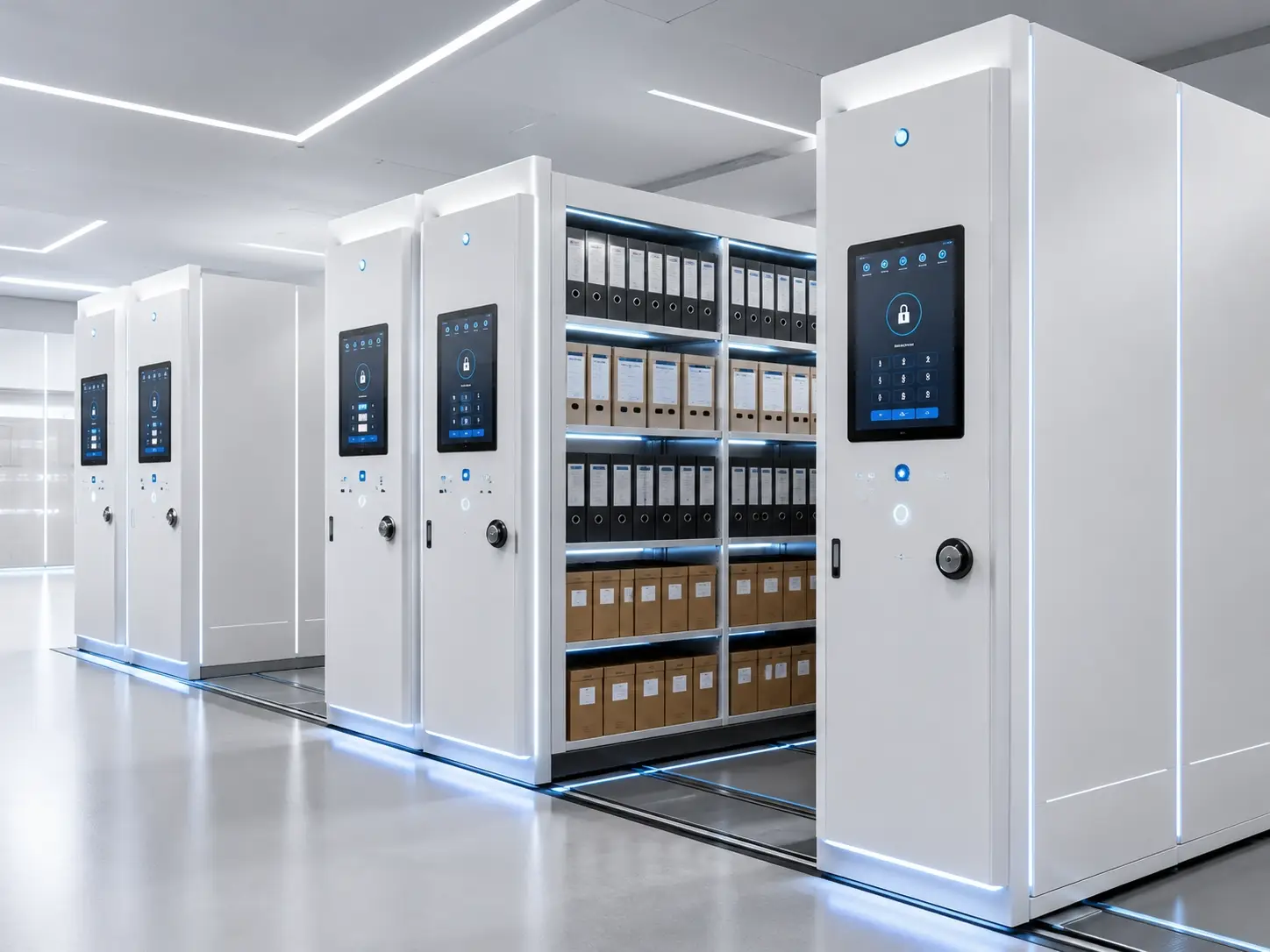
The Control Interface Should Make Powered Movement Understandable
An electric or smart control system connects the operator with the drive components and the safety functions included in the approved configuration.
- Provide a clear method for starting and stopping movement.
- Indicate operating or aisle status where the configuration supports it.
- Coordinate the included emergency or sensing functions.
- Keep the user interface appropriate for archive staff and daily workflow.
What Can Be Included in a Mobile Shelving Control System?
The items below are possible project components rather than a universal standard package. Final availability and technical compatibility should be confirmed before quotation.
Operating Interface
Push buttons, a local control panel or touchscreen can be selected according to the electric or smart configuration.
Drive Control
The control unit coordinates motorized movement and the operating sequence of the powered shelving rows.
Aisle / Obstacle Sensors
Project-specific sensing can be added to support aisle or obstacle protection where the approved design requires it.
Emergency Stop
A powered system can include one or more project-defined emergency-stop points according to the final control design.
Warning or Status Signal
Lights, audible alerts or status indications can provide feedback where required by the project.
Configured Permissions
Smart projects can include user-permission functions where controlled electronic access is part of the approved requirement.
Status Display
A smart interface can show selected operating or system information according to the configured control architecture.
Fault / Power-Off Planning
The project should define authorized access and handling procedures for power interruption, maintenance or control faults.
Do Not Assume Every Safety Function Is Standard
A quotation should identify which protections are part of the structural design, which are selected electronic options and which require further technical confirmation.
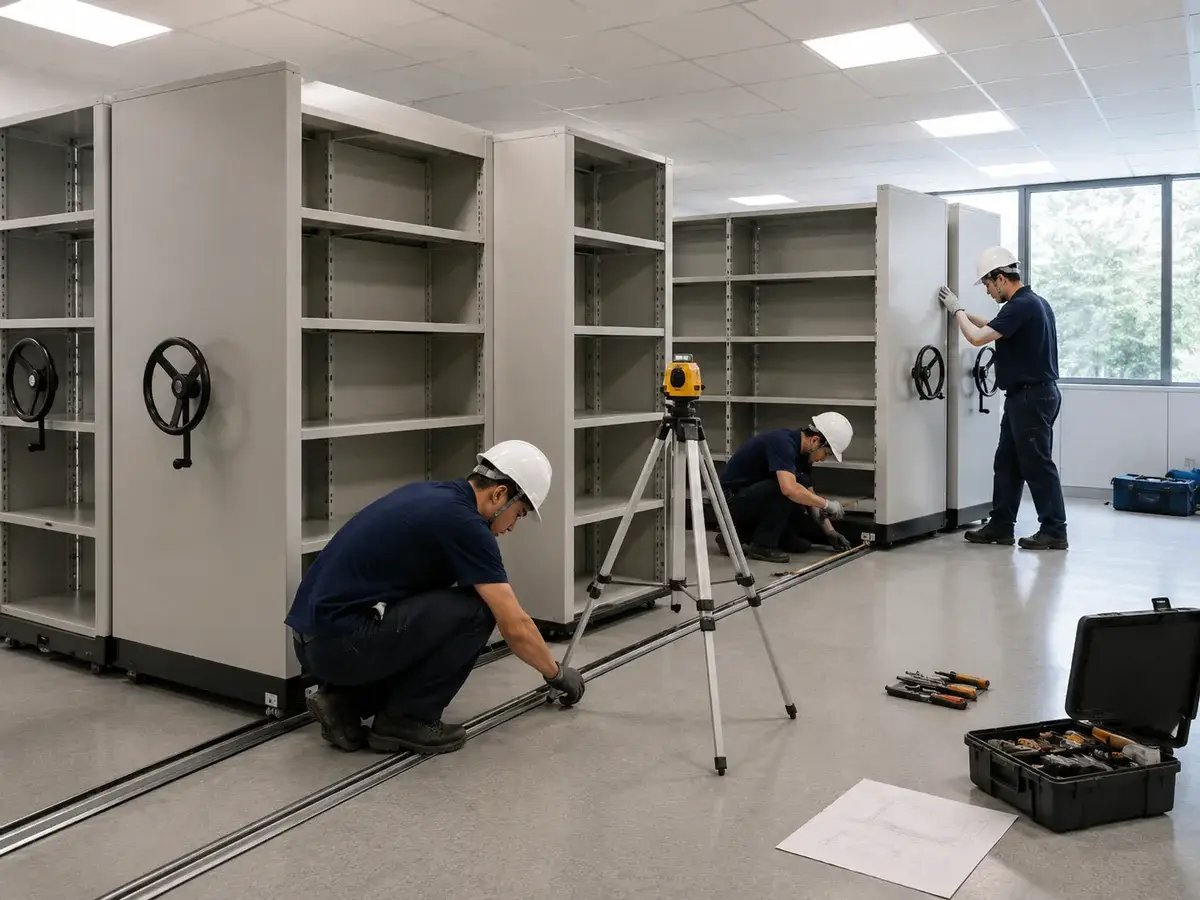
Check the Included Safety Functions Before Daily Archive Use
The commissioning procedure should test the functions actually included in the approved project. It should not assume sensors, electronic locks or smart functions that were not specified.
Where Mobile Shelving Safety and Access Planning Matter Most
The appropriate control level depends more on retrieval frequency, users and record sensitivity than on the industry name alone.
Government Archives
Centralized public records rooms may require clear operating procedures, controlled access and project-specific powered safety functions.
View Solution →Court Records
Active, closed and restricted case files can require different physical storage and access arrangements.
View Solution →Medical Records
Medical record rooms can have frequent retrieval and multiple staff users, making operating workflow and system reliability important.
View Solution →Enterprise Archives
Contracts, HR, finance and project files can use different locking or controlled-access arrangements according to internal workflow.
View Solution →Select Safety Functions According to Real Archive Use
Additional electronics are useful only when they solve a defined operational requirement. The first priorities remain correct structure, layout, controlled movement and clear user procedures.
- For manual storage: prioritize structure, rail condition, locking and operating rules.
- For frequent powered retrieval: consider project-confirmed emergency and aisle-protection functions.
- For restricted archives: define the physical or electronic access requirement first.
- For smart projects: confirm permissions and integration boundaries before quotation.
Mobile Shelving Safety Features FAQ
What are the main mobile shelving safety features?
Safety begins with rail alignment, structural stability, controlled movement and locking. Powered systems can also include project-specific emergency-stop, warning, obstacle-detection or aisle-protection functions according to the approved configuration.
Can mobile shelving help prevent unsafe aisle closing?
Electric or smart systems can be configured with project-specific aisle or obstacle-protection functions. The exact sensing method and control response should be confirmed as part of the technical specification.
What safety features can be used on electric mobile shelving?
Depending on the project, electric mobile shelving can include emergency-stop controls, warning or status functions, obstacle or aisle protection, locking and power-fault procedures.
Does every electric mobile shelving system include aisle sensors?
No. The final protection package depends on the approved design. Aisle or obstacle sensing should be identified explicitly in the quotation and technical specification when required.
Is smart mobile shelving automatically safer than manual shelving?
No. Smart systems can coordinate additional controls, but safety still depends on correct structural design, approved protection functions, commissioning and proper user operation.
Can smart mobile shelving use different user permissions?
Configured permission functions can be included where this is part of the approved smart-control scope. The users, permission logic and authentication method should be confirmed before production.
Is RFID required for smart mobile shelving?
No. RFID is optional and is not required for a system to use smart control. It should only be specified where the project has a defined identification or tracking workflow and technical integration method.
What happens if power fails?
Powered projects should define an appropriate power-failure or fault-access procedure according to the selected mechanical and control architecture.
What should be checked during commissioning?
Check the movement, rails, locks and included control functions. If the project includes emergency stops, sensing, warning or permission functions, these should also be tested according to the approved specification.
Does safety commissioning replace user training?
No. Archive staff should still understand normal operation, aisle checks, locking, stopping procedures and how to report abnormal movement or control-system faults.
Related Mobile Shelving Resources
Send Your Archive Use Case for Safety and Control Review
Provide the room layout, row length, stored load, access frequency, number of users and preferred manual, electric or smart system. SAS can use these details to discuss a preliminary safety and control configuration for technical confirmation.