A smart archive platform should make the room easier to control.
The platform layer coordinates people, permissions, storage status and operating actions around a real archive project. SAS defines the required control scope around the room plan, mobile shelving, cabinets, access rules and approved information environment so the result remains useful after installation.
Platform positioning
Smart Archive Platform is a coordination and visibility layer for archive operations. It is intended for projects where a simple product interface is not enough and the owner needs a clearer relationship between physical storage, user roles, system status and repeatable operating procedures.
What the platform can organize
- operator, supervisor, service and other approved user roles;
- storage locations, movement states and availability information;
- requests, approvals, retrieval actions and return confirmation;
- system status, exceptions, maintenance responsibilities and handover records.
What must be confirmed per project
- the actual software environment and approved interface method;
- which data is owned by SAS, the archive owner or another supplier;
- the control points and devices required in the room;
- security, network, privacy, backup and long-term support responsibilities.
Four operating layers
A platform is valuable only when each layer has a clear purpose and owner. The final design should state what the system shows, what it controls and what staff must do when an exception occurs.
How the platform relates to physical storage
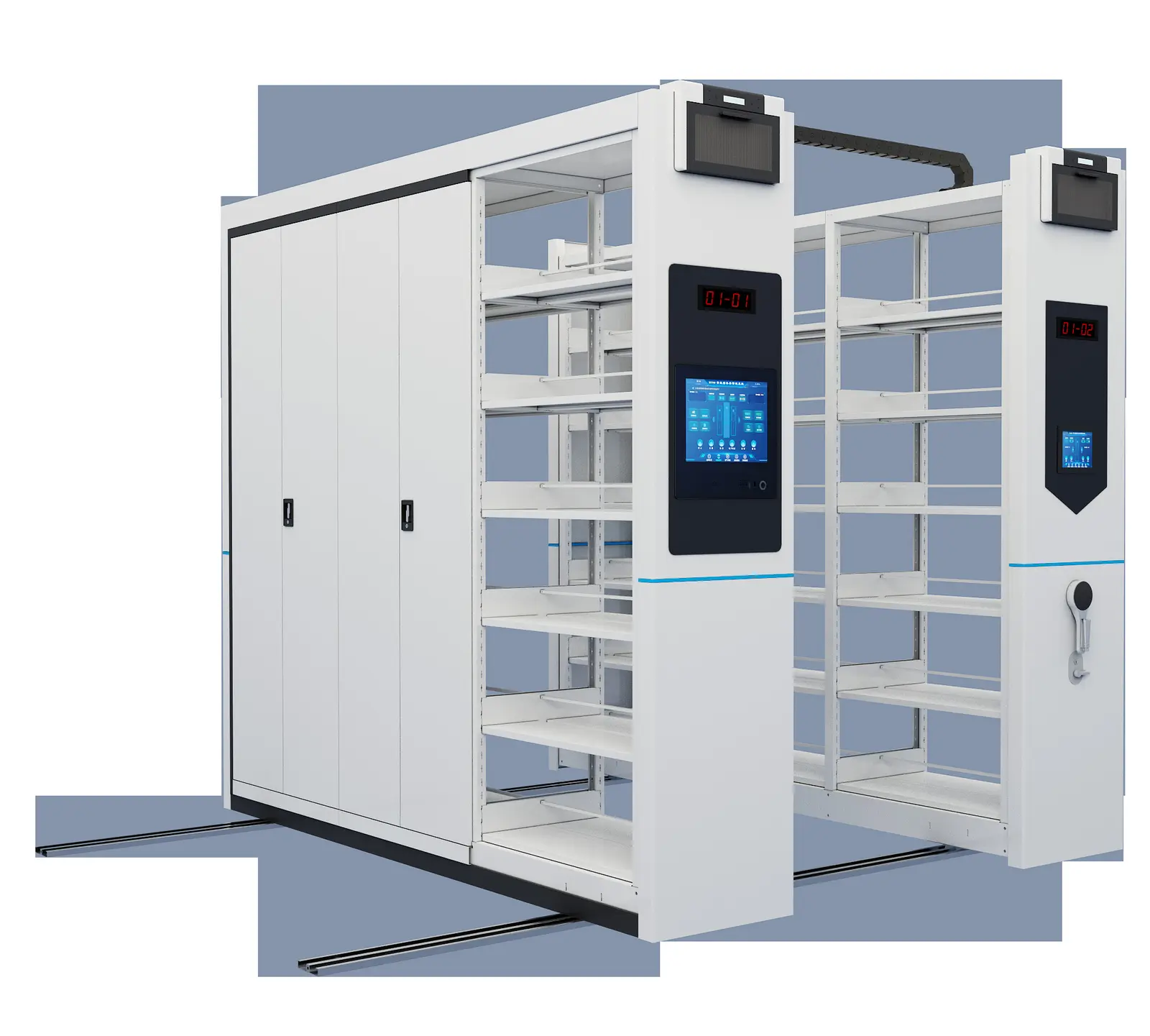
The platform should describe the room people actually use. Mobile shelving, archive cabinets and controlled access points create the physical context; the platform gives staff a consistent way to interpret and operate that context.
Choose the platform scope by operating requirement
Projects should select the level of coordination they can maintain. The categories below are planning levels, not automatic promises of a universal software package.
| Operating requirement | Useful platform emphasis | Questions to resolve |
|---|---|---|
| Controlled movement | Operator controls, aisle or row status and safe operating sequence. | Who may operate the system, and how is a blocked or unsafe condition handled? |
| Frequent retrieval | Request, location, retrieval and return workflow. | Which events must be recorded, and what is the response when an item is not returned? |
| Multiple user groups | Role-based permissions and approval responsibilities. | Who approves access, changes permissions and reviews exceptions? |
| Connected archive room | Relationship between storage, access control, identification and environmental status. | Which interfaces are required, who owns each data source and how will support be provided? |
Project development sequence
Information required before configuration
Smart Archive Platform FAQ
Is Smart Archive Platform a standard software package?
The page defines a project-oriented platform scope. The exact software, interfaces, devices, data ownership and support arrangement must be confirmed for the approved project rather than assumed to be identical for every archive.
Can the platform control mobile shelving?
It can be planned around the approved mobile shelving control system and operating sequence. The actual control interface, permissions and responsibility for safe movement must be checked with the physical system and project team.
Can RFID be connected to the platform?
RFID can be considered as an identification and event layer. The project must define the data source, event meaning, exception route and approved interface before the connection is specified.
Does the platform replace access control?
No. Access control is a separate security responsibility. The platform may coordinate information or workflow around access rules, but the approved security design and authority remain project-specific.
Who maintains permissions and status data?
The owner should assign responsibility for user roles, locations, item data, devices, interfaces, backups, training and service response before handover.
What should be tested before acceptance?
Test normal retrieval, return, role changes, unavailable storage, manual exceptions, power or network interruption, maintenance access and the records produced by each important operating event.
Build the operating layer around the room
Share the room plan, storage arrangement and required control level. SAS will help define the platform scope, physical interfaces and responsibilities needed for a maintainable archive operation.