Digital archive management that keeps records usable, findable and governed.
A digital archive management system organizes the information around stored records: classification, metadata, permissions, retrieval history, retention decisions and links to the physical archive. SAS defines the required information structure around the owner’s workflow and approved project responsibilities. Learn more about the Smart Archive Platform.
What the digital layer should accomplish
Digital archive management is more than scanning files or placing documents in a folder. It creates a controlled information model that helps authorized users understand what exists, where the physical original is kept, who may access it and what action should happen next.
Four information layers
A sustainable digital archive depends on an information structure that staff can maintain. Each layer should have an owner, a quality check and an agreed response when information is incomplete.
Define the record model before choosing software
The owner should decide which objects the system manages and how they relate. This prevents the digital archive from becoming a disconnected list that cannot guide real retrieval or governance.
| Object in the model | Purpose | Example relationship to the physical archive |
|---|---|---|
| Record or file | Describes the individual digital or digitized information asset. | Linked to an original file, folder, box or controlled archive unit. |
| Series or category | Groups records according to the owner’s classification structure. | May correspond to a collection, department, project or storage zone. |
| Location | Shows where the physical original or related material is kept. | Uses agreed room, row, bay, shelf, cabinet or box references. |
| Person or role | Defines responsibility for access, review, update or approval. | Coordinates with archive staff, managers, service personnel and approved users. |
| Lifecycle event | Records review, transfer, access, retention or disposition action. | Connects an information decision with the responsible operating process. |
Connect digital records with physical storage
A digital record is more useful when staff can move from the search result to a reliable physical reference. SAS can review this relationship together with mobile shelving systems, archive cabinets and the archive-room operating model.
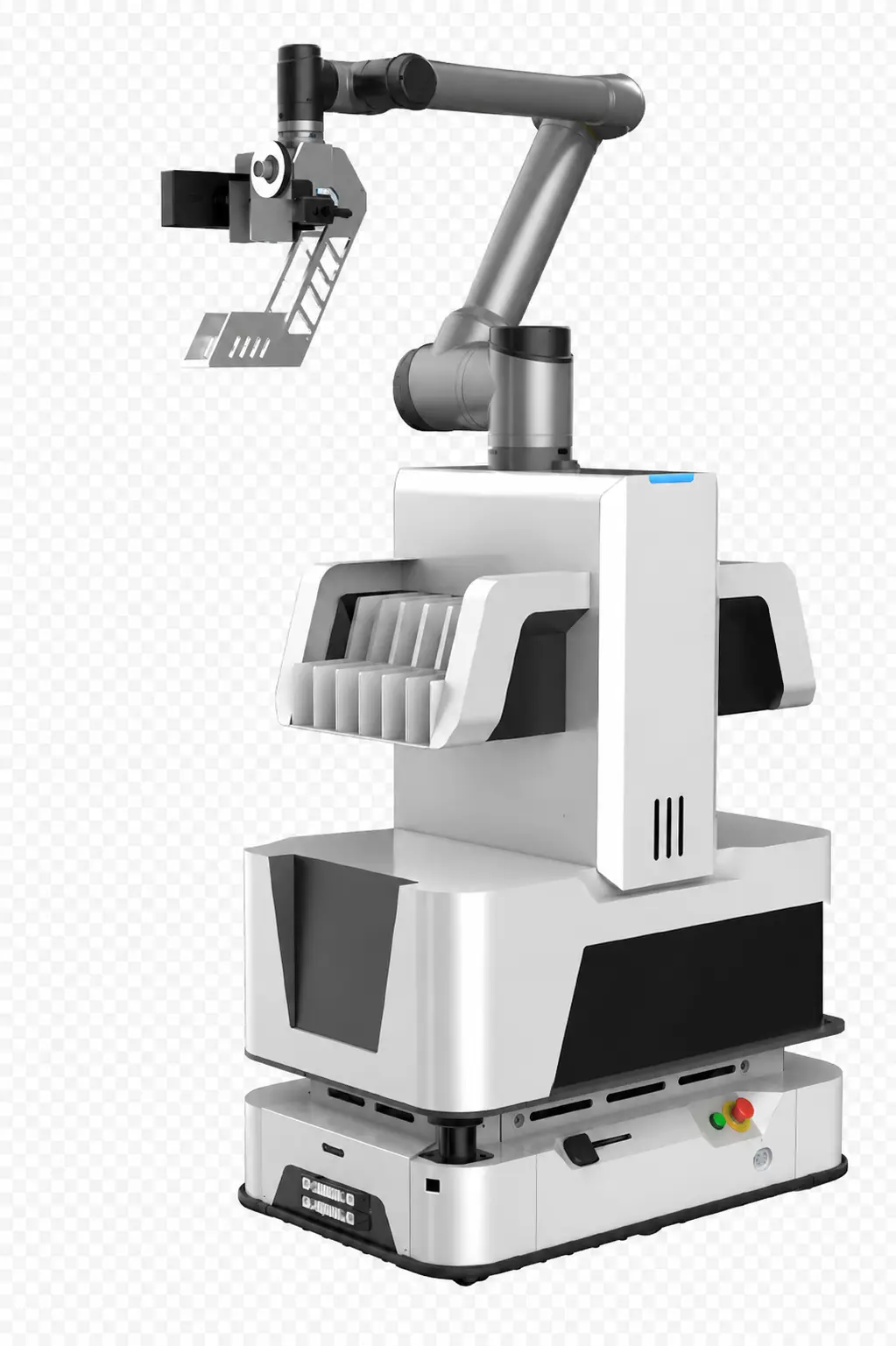
AGV Archive Robot Module
For projects that require automated physical retrieval, the digital archive layer can connect an approved retrieval request with an AGV workflow. The robot receives the task, locates the archive position, handles the approved archive unit and reports the completed operation back to the workflow.
- Computer-directed retrieval and return-to-window workflow
- Laser radar navigation with map and position recognition
- Automatic loading and unloading with archive identification
- Smart charging, task allocation and multi-robot coordination
- Inventory, scheduled patrol and retrieval verification functions
Operator interface and control layer
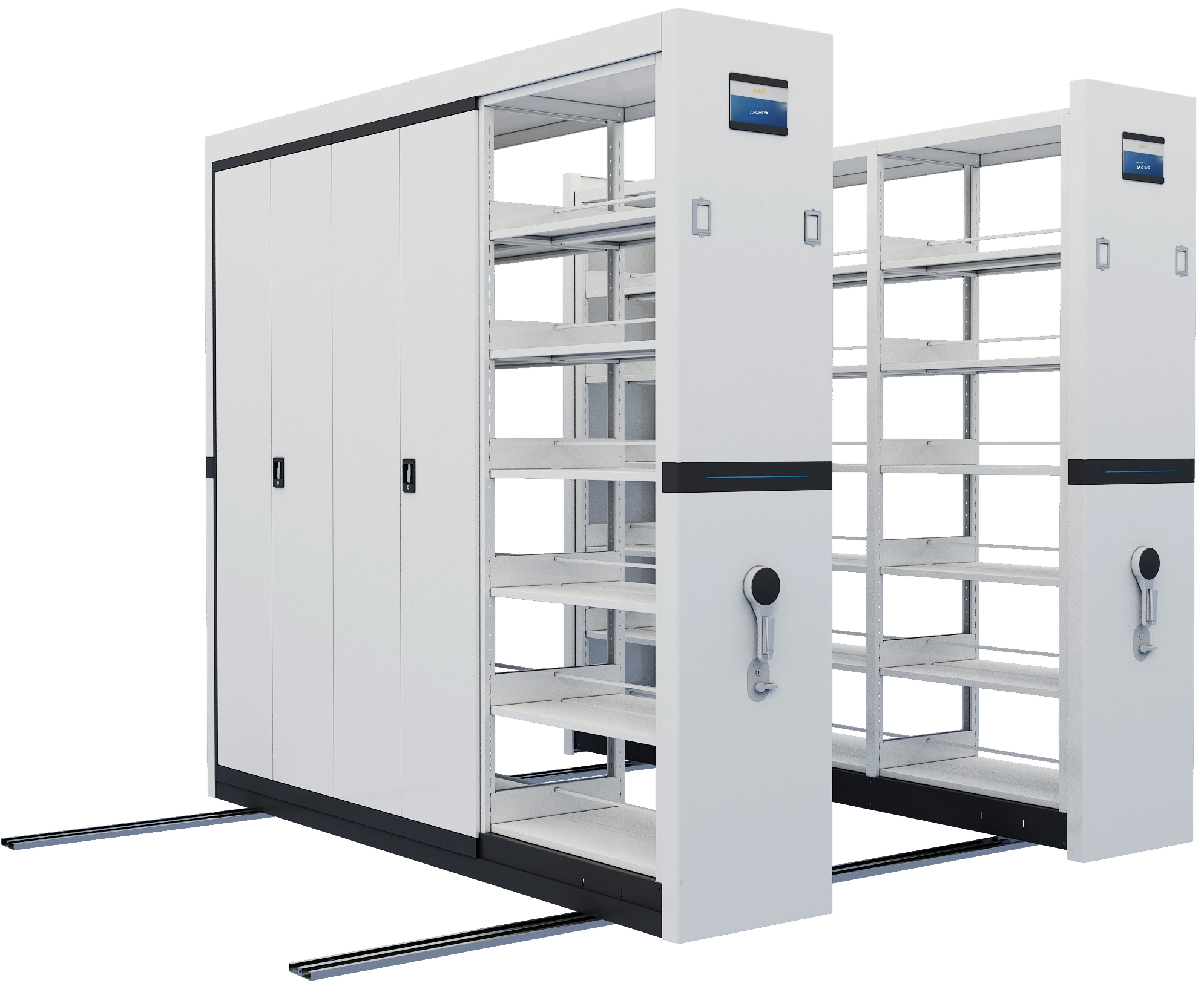
The digital archive workflow should connect information rules with the way staff actually request, approve and complete archive operations. A smart shelving touchscreen can serve as the physical control point for authorized movement, status visibility and retrieval coordination.
- Use approved permissions and operating rules at the control point.
- Relate a retrieval request to a physical storage location.
- Keep movement, access and exception handling visible to operators.
- Coordinate the interface with the archive room procedure and project scope.
For digitized content
- define file naming, document quality and version responsibilities;
- record the relationship between a digital copy and its original;
- confirm access, download, review and preservation requirements;
- define how missing or incomplete metadata is corrected.
For physical-first archives
- use digital references to guide staff to a room and storage location;
- coordinate location codes with shelving rows, bays and cabinets;
- record issue, return, transfer or inspection events where required;
- keep location changes synchronized with the archive operating procedure.
Project development sequence
Scope boundaries that protect quality
Digital Archive Management System FAQ
Is this the same as a document-management system?
It may connect with an existing document or records system, but the archive scope should separately define classification, location, access, lifecycle and preservation responsibilities. The approved interface and ownership must be confirmed for each project.
Does digital archive management require scanning everything?
No. Projects may manage born-digital records, physical originals, digitized copies or a controlled combination. The owner should decide which material creates measurable value when digitized or indexed.
Can the system show where the physical original is stored?
It can include an approved location model linked to rooms, shelving, cabinets, boxes or other units. The reference is only reliable when physical movements and location changes are maintained.
Can RFID and a digital archive system work together?
They can be considered as separate but connected layers: RFID can provide identification or event data, while the digital archive model manages records, metadata, permissions and lifecycle information.
Who decides retention and disposition?
The archive owner and responsible authority must define retention and disposition rules. A technical system can record and support approved decisions but should not invent or replace them.
What should be measured during a pilot?
Check search quality, metadata completeness, location accuracy, access behavior, retrieval time, exception handling, user understanding and the effort required to keep information current.
Turn archive information into a usable operating asset
Share the collection structure, existing records workflow and physical storage plan. SAS will help define a digital archive scope that is clear about data, interfaces, responsibilities and long-term maintenance.