Corporate Records Management
Enterprise Document Storage Solutions for Secure Business Records
SAS provides enterprise document storage solutions for corporate headquarters, factories, finance departments, human-resources teams, quality departments, engineering teams, research centers, branch offices and centralized business archive rooms.
Filing cabinets, archive cabinets and mobile shelving can be combined according to record activity, department ownership, confidentiality, room capacity and long-term retention needs.
Corporate Record Lifecycle
How Enterprise Document Storage Solutions Support Active, Semi-Active and Inactive Records
Enterprise records support daily operations, audits, quality systems, legal review and future reference. Different departments create different file types, and each category should be stored according to access frequency, confidentiality and retention responsibility.
Frequently used documents should remain close to the responsible department. Completed or long-retention records can move into centralized archive cabinets or mobile shelving to improve space use and simplify control.
Active Records
Current contracts, employee files, open projects, recent invoices and daily production documents.
Recommended: filing cabinets and nearby departmental storage
Semi-Active Records
Completed projects, previous-year financial files, supplier records and audit documentation.
Recommended: archive cabinets or accessible mobile shelving
Inactive Records
Expired contracts, historical production records, superseded policies and completed long-term files.
Recommended: centralized high-density mobile shelving
Corporate Document Storage
Document-Storage Problems Usually Begin Before the Archive Room Is Full
Corporate storage becomes difficult when record ownership, file status, department responsibility, audit needs and future business growth are not planned together.
Departmental Document Growth
HR, finance, purchasing, sales, quality and engineering may build separate archives without a coordinated structure.
Active and Inactive Files Mixed Together
Daily-use documents consume archive capacity while older records remain unnecessarily close to working areas.
Limited Office and Archive Space
Fixed shelving uses permanent aisle space and can restrict future storage density.
Confidentiality Requirements
Personnel, finance, legal and R&D records may require locks, defined responsibility or restricted storage zones.
Audit and Traceability Pressure
Records should remain clearly classified, identifiable and retrievable according to the company’s procedures.
Business Expansion
New factories, departments, acquisitions and branch offices can quickly increase document volume.
Recommended Storage Combination
Enterprise Document Storage Solutions for Daily Files and Centralized Archives
A complete enterprise archive normally combines filing cabinets, archive cabinets and mobile shelving instead of forcing every document category into one product.
Steel Filing Cabinets
Drawer cabinets support active personnel, finance, legal, customer and departmental records that require frequent categorized access.
View Steel Filing Cabinets →Archive Storage Cabinets
Adjustable shelves and lockable doors support binders, archive boxes, manuals, quality documents and semi-active records that still require convenient access.
View Archive Storage Cabinets →Manual Mobile Shelving
Handwheel movement reduces fixed aisle requirements and provides high-density archive storage without an electrical drive system.
View Manual Mobile Shelving →Electric Mobile Shelving
Motorized movement and project-confirmed control and safety functions can support larger or more frequently accessed enterprise archive rooms.
View Electric Mobile Shelving →Smart Mobile Shelving
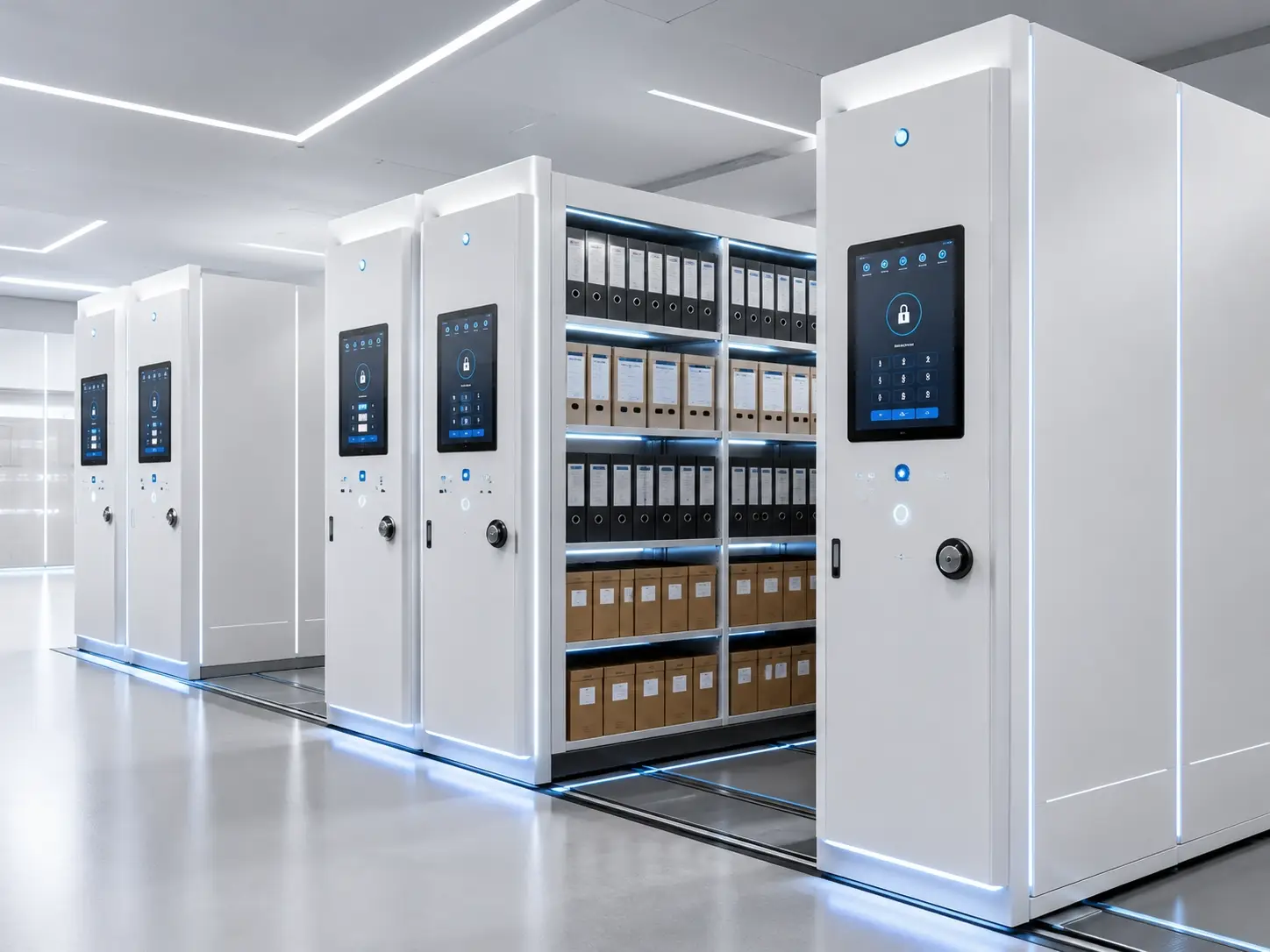
Touchscreen operation, visible system status, configured user permissions and approved management functions can support controlled corporate document centers.
View Smart Mobile Shelving →Human Resources
Employee files, contracts, attendance, training, performance and retirement records.
Typical approach: lockable filing cabinets + restricted archive zone
Finance & Accounting
Invoices, tax files, audit records, statements, payment documents and bank records.
Typical approach: active cabinets + annual archive groups
Purchasing & Supply Chain
Purchase orders, supplier contracts, delivery records, pricing documents and approvals.
Typical approach: departmental filing + centralized archive storage
Sales & Customer Management
Customer contracts, orders, quotations, service records and complaint documentation.
Typical approach: active cabinets + completed-project archives
Quality Management
Quality manuals, procedures, inspection reports, audits and corrective-action documentation.
Typical approach: labeled cabinets + centralized archive storage
Engineering & Production
Work instructions, technical files, maintenance records, drawings and production documentation.
Typical approach: archive shelving + cabinets + project-specific drawing storage
Department-Based Classification
Assign Ownership Before Assigning Shelf Space
Clear responsibility helps reduce duplicate storage, missing files, uncontrolled access and unclear disposal responsibility.
Capacity Planning
Convert Document Growth into Cabinets, Shelf Length and Reserve Capacity
Effective enterprise document storage solutions should convert current document volume, annual growth, retention periods and department ownership into practical cabinet quantities, shelf length and reserve capacity.
Measure Current Volume
Record archive boxes, binders, folders, files, annual batches and current linear shelf length.
Identify Department Ownership
Assign each document category to a responsible department or archive manager.
Estimate Annual Growth
Consider retention periods, approved disposal schedules, department expansion and realistic reserve capacity.
Confirm File Dimensions
Archive-box size, binder height and document depth determine shelf spacing and cabinet selection.
Separate Active and Long-Term Storage
Keep working files near departments while transferring inactive records to centralized archive storage.
Review Floor Loading
High-density mobile shelving concentrates weight and requires the proposed floor condition and allowable loading to be reviewed.
Enterprise Archive Room Layout
Coordinate Receiving, Work Zones, Cabinets, Mobile Rows and Protected Records
The archive room should support document intake, classification, retrieval and return without placing high-frequency files deep inside long-term storage zones.
Mobile Shelving Comparison
Manual, Electric or Smart Operation for Enterprise Archives?
The right option depends on room size, archive volume, retrieval frequency, control requirements, project budget and maintenance expectations.
Security and Access Control
Protect Confidential Records by Cabinet, Department and Access Responsibility
Personnel, finance, legal, customer and R&D records may require different access levels. Security can be managed through physical locks, restricted zones or project-confirmed electronic controls.
Compliance and Audit Support
Physical Storage Should Support the Company’s Document-Management Procedures
Enterprise archives can support audits, quality systems, traceability, legal review and defined retention procedures when records remain identifiable and retrievable.
Quality and Controlled Documents
Quality manuals, procedures, inspection reports, calibration records, audit files and corrective-action documents.
Production and Supplier Records
Product traceability, supplier audits, test records, batch documents and process documentation.
Contracts and Regulatory Files
Contracts, licensing documents, legal correspondence, intellectual-property files and other retained records.
Ownership and Retrieval Control
Clear department responsibility and controlled access support more disciplined physical record handling.
Archive and Disposal Schedules
Separate active, retained and review-ready records according to the company’s approved procedures.
Revision and Document History
Superseded procedures, revision histories and controlled copies can be assigned to clearly identified storage zones.
Project Workflow
From Department Records and Room Drawings to Installation and Handover
Requirement Collection
Review company type, departments, room dimensions, document categories, quantity, growth and security needs.
Document Classification
Divide files by department, type, retrieval frequency, retention responsibility, confidentiality and format.
Capacity Calculation
Convert records into shelf length, cabinet quantities, mobile rows and reserve capacity.
Layout Development
Plan cabinets, mobile shelving, operating aisles, work zones, protected areas and expansion space.
Technical Confirmation
Confirm dimensions, loading, drive type, locks, safety functions, color, packing and installation scope.
Production and Inspection
Manufacture, inspect, identify and pack components according to the approved project configuration.
Delivery and Installation
Installation arrangements are confirmed according to destination, project scope and local responsibilities.
Testing and Handover
Verify movement, locking, alignment and project-confirmed control or safety functions before handover.
Future Expansion Review
Retain layout information and reserve suitable areas when later shelving or cabinet additions are expected.
Enterprise Application Areas
Business-Record Storage for Headquarters, Factories and Specialized Departments
Corporate Headquarters
Contracts, finance records, personnel documents and management files.
Manufacturing Factories
Production records, quality files, equipment documents and technical manuals.
Finance Departments
Invoices, tax records, audit files, statements and payment documents.
Human Resources
Employee files, contracts, training records and confidential personnel documents.
Quality Departments
Inspection records, test documents, audits and traceability files.
R&D Centers
Research records, drawings, project information and confidential technical documents.
Legal & Compliance
Contracts, licenses, intellectual-property records and compliance files.
Branch Offices
Local customer, administrative and departmental records before centralized transfer.
Typical Technical Reference
Preliminary Ranges for Enterprise Archive Planning
Final dimensions, loading, controls and installation methods should be confirmed according to the selected products, document format, room conditions and project requirements.
Manufacturing and Quality
Details That Influence Cabinet Operation, Shelf Loading and Mobile-System Reliability
Cabinet and Frame Accuracy
Consistent cutting, punching, forming and assembly help drawers, doors, shelving frames and mobile bases remain aligned.
Slides, Shelves and Drive Components
Drawer slides, shelf brackets, tracks and drive components should match the intended document load and operating method.
Project Inspection
Finish, alignment, locking and project-confirmed movement or safety functions should be reviewed before handover.
Packaging and Project Delivery
Protect and Identify Cabinets, Frames, Tracks and Control Components
Enterprise projects may include equipment for several departments or rooms. Packaging should support product protection, inventory checking and installation sequencing.
Quotation Checklist
Information Required for a Practical Enterprise Archive Quotation
When the final configuration is not yet confirmed, send the room plan, department structure, record quantity, annual growth and access requirements. SAS can prepare a preliminary storage proposal.
Frequently Asked Questions
Enterprise Document Storage FAQ
What products are used in enterprise document storage solutions?
Steel filing cabinets are suitable for active records, archive cabinets for enclosed departmental storage and mobile shelving for centralized higher-volume archives. The final combination depends on retrieval frequency, record format, room size and access requirements.
How should active and inactive records be separated?
Active records should remain near the responsible department or work area. Inactive and long-retention records can be transferred to centralized archive cabinets or mobile shelving.
Can different departments use the same archive room?
Yes. Departments can be separated by shelving rows, cabinet groups, labels, keys or project-confirmed permission zones.
Can confidential records be stored securely?
Yes. Lockable cabinets, restricted rooms, separate archive zones and project-confirmed electronic permission options can be considered according to the selected storage system.
Can SAS help calculate the required storage capacity?
Yes. Provide the room dimensions, document quantity, archive-box or folder dimensions, annual growth and retention requirements for preliminary capacity planning.
How can mobile shelving improve storage density?
Mobile shelving reduces the number of permanently open aisles and creates access space where needed. The actual improvement depends on room shape, shelf dimensions, required aisle width and building constraints.
Can the system store drawings and oversized documents?
Oversized documents may require wider shelves, flat or drawer-based storage, rolled-document storage or another project-specific arrangement according to document size and handling method.
Can the storage system support future expansion?
Expansion may be possible when reserve room area, shelving arrangement, track layout and future equipment additions are considered during the initial planning stage.
Are electronic access-control functions available?
Project-confirmed electronic permission functions may be available with suitable electric or smart systems. The final access method should be confirmed before production according to the archive workflow and approved project scope.
Can smart systems provide operating-status information?
Yes. Selected smart projects can provide touchscreen status information and project-specific operation or warning functions. The exact functions should be confirmed in the approved technical specification.
Related SAS Pages
Continue Planning the Enterprise Archive System
Enterprise Archive Project
Planning an Enterprise Document Storage Project?
Send your archive-room dimensions, floor plan, document quantity, department structure, access requirements and preferred storage system. SAS can help evaluate capacity, product combination, room zoning, safety functions and a preliminary project layout.